If you’re running a local business in India in 2026, having a website is no longer enough. Customers search on Google before they call, visit, or buy. Whether you’re a restaurant, clinic, real estate agency, gym, salon, coaching institute, law firm, or digital marketing agency, your Google Business Profile (GBP) is one of your most powerful marketing assets.
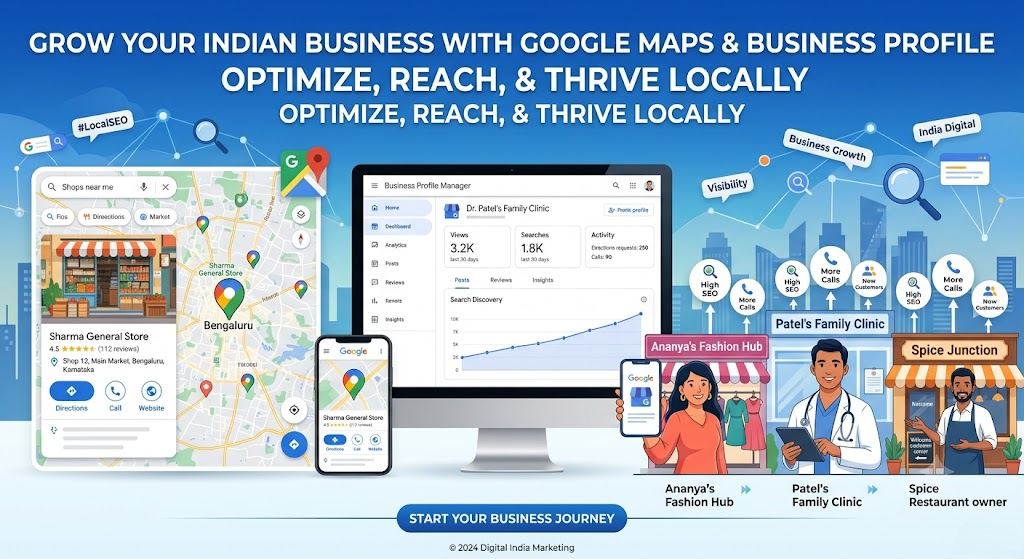
A well-optimized Google Business Profile helps your business appear in Google Search, Google Maps, and local search results, increasing calls, directions, website visits, and customer inquiries all without paying for ads. Now a days Google business profile booming and its increase calls and store visits.
This comprehensive guide explains everything Indian businesses need to know about Google Business Profile in 2026.
What is Google Business Profile?
Google Business Profile (formerly Google My Business or GMB) is a free business listing provided by Google that allows businesses to manage how they appear across Google Search and Google Maps.
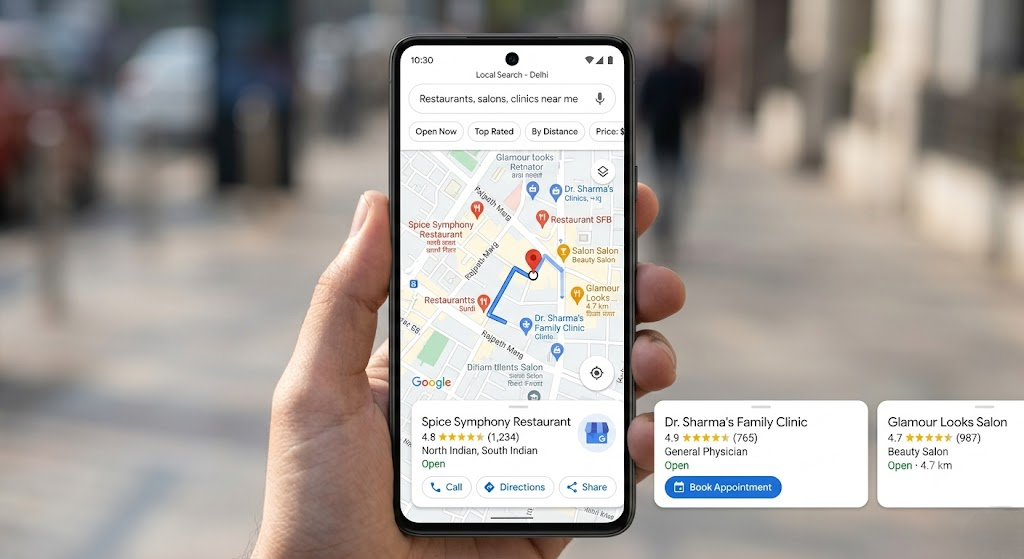
A business profile includes:
- Your Business name
- Your Business Address
- Phone number
- Website
- Business hours
- Reviews
- Photos
- Products
- Services
- Questions & Answers
- Updates
- Appointment links
- Messaging options
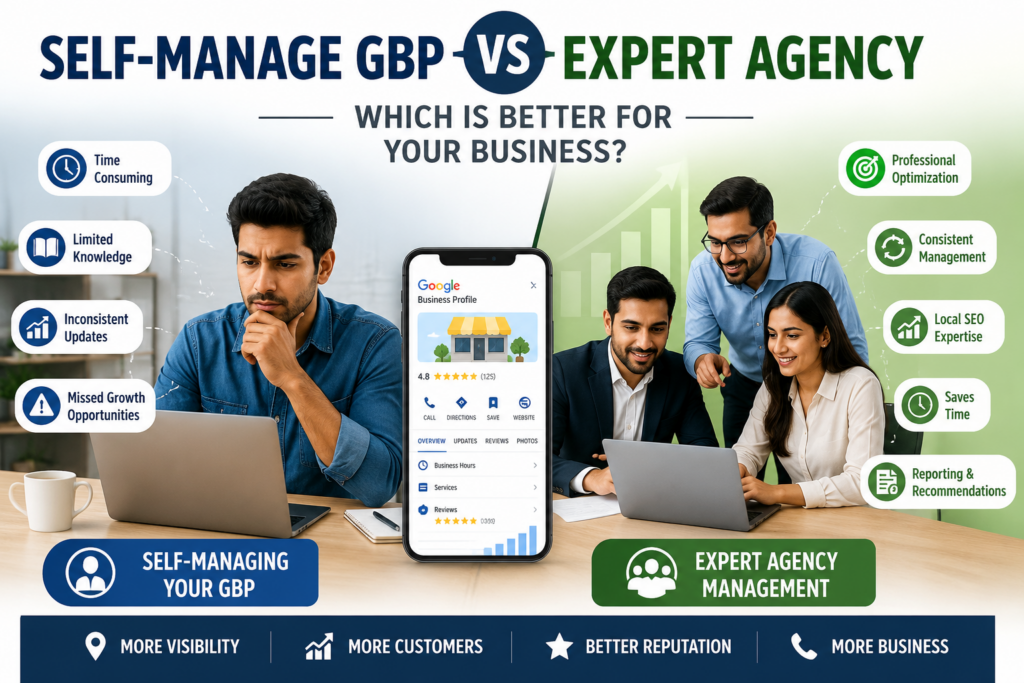
When someone searches for your business or a related service, your profile can appear prominently in local search results. If you ignoring Google business profile means you ignoring new customers and also after some time your existing customer will engage with other business if they offer better deals then you and provide better services so regularly updates on google business profile is very important. you can do things manually and if you don’t have time to manage your google business profile then Gusto Digital India’s Leading GBP Management company will manage your google business profile and provides you better result within first 6 months. if they faild to improve your busienss perforamnce then they refund the services fess by Analyzing your profile gusto digital team predict the missing growth and once they worked on that you will get better response from client and customers. Get hire Gusto Digital for GMB Managment SEO services
Why Google Business Profile Matters in 2026
Google’s local search algorithm has become smarter than ever. It now prioritizes businesses that demonstrate:
- Accurate information
- High-quality customer reviews
- Regular profile updates
- Local relevance
- Strong customer engagement
- Complete business information
A properly optimized profile can generate:
- More phone calls
- More website visitors
- More direction requests
- Higher local rankings
- Increased trust
- Better conversion rates
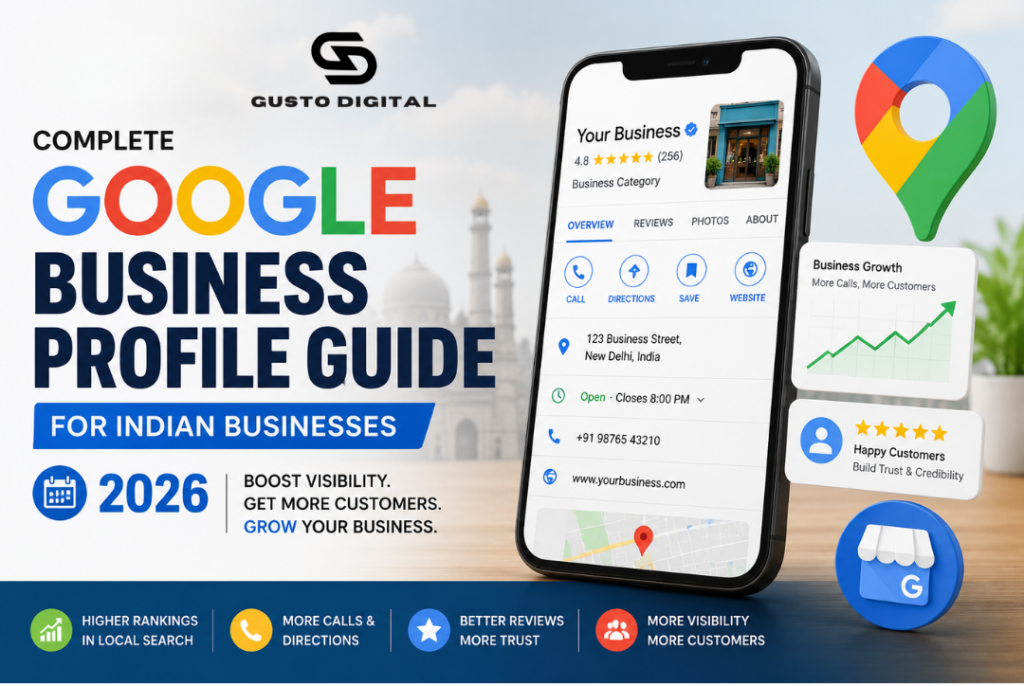
Benefits of Google Business Profile
1. Free Local Marketing
Unlike paid advertising, Google Business Profile is completely free to use.
2. Better Local SEO
An optimized profile increases your chances of appearing for searches like:
- Dentist near me
- Best digital marketing agency
- AC repair in Delhi
- Wedding photographer Jaipur
- Interior designer Mumbai
3. Build Customer Trust
Businesses with numerous positive reviews appear more trustworthy.
Customers often compare:
- Ratings
- Reviews
- Photos
- Response time
- Business information
before making a decision.
4. Get More Calls
Your phone number is displayed directly in Search and Maps.
Many customers call without ever visiting your website.
5. Increase Website Traffic
Your website link appears directly in your listing.
Interested customers can visit immediately.
Who Should Use Google Business Profile?
Almost every local business should have one.
Examples include:
- Doctors
- Hospitals
- Restaurants
- Hotels
- Digital Marketing Agencies
- Chartered Accountants
- Lawyers
- Home Service Businesses
- Real Estate Companies
- Coaching Institutes
- Tuition Centers
- Salons
- Beauty Clinics
- Gyms
- Retail Stores
- Electronics Shops
- Furniture Stores
- Car Dealers
- Repair Shops
How to Create a Google Business Profile
Step 1
Visit Google Business Profile. https://business.google.com/in/business-profile
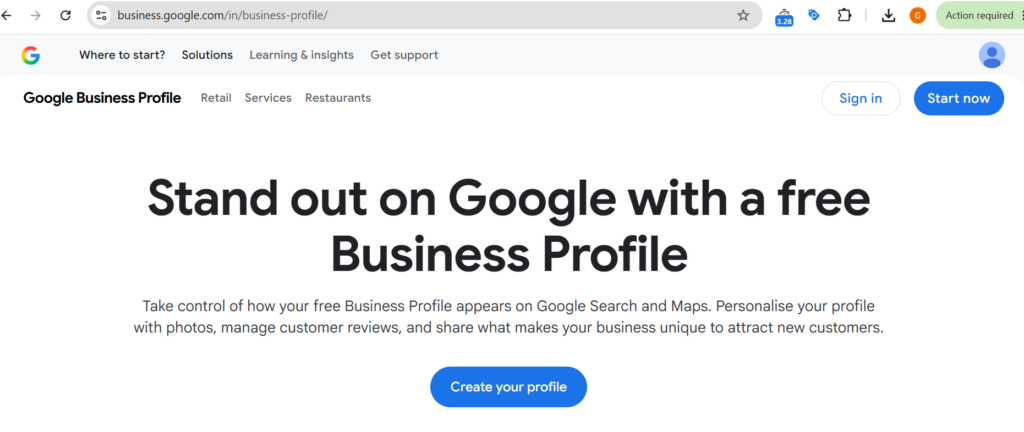
Sign in using your Google account.
Step 2
Enter your business name & Chose or Select the most appropriate business category related to your busienss. Each Business have diffent catagoreis make sure you chose the right catagores and put your business name then fruther move to the next. If If your business already exists, claim ownership of the busienss if someone create with your business name GBP profile then you have to claim your business name by showing some documents after verifying these documents google will transfer business to your proifle and you will get owner acess to those business if you found related business name you can just contact us and we are at gusto Digital inisiated business ownership transer with Google contact Gusto Digital Digital Marketing Agency
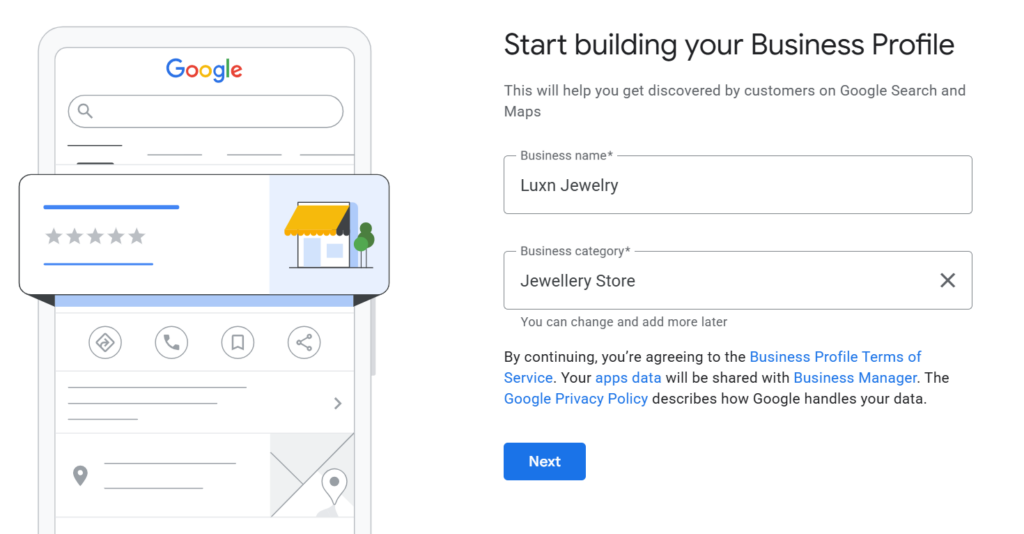
Select the most appropriate business category. Example:
- Digital Marketing Agency
- Dentist
- Restaurant
- Hotel
Choosing the correct primary category significantly affects rankings. If you choose right catagory it will improve ranking and if you choose wrong catagory it will decrase your GBP profile ranking chose with caution or hire Exper to setup your Google my business profile by paying onetime setup fee.
Step 3
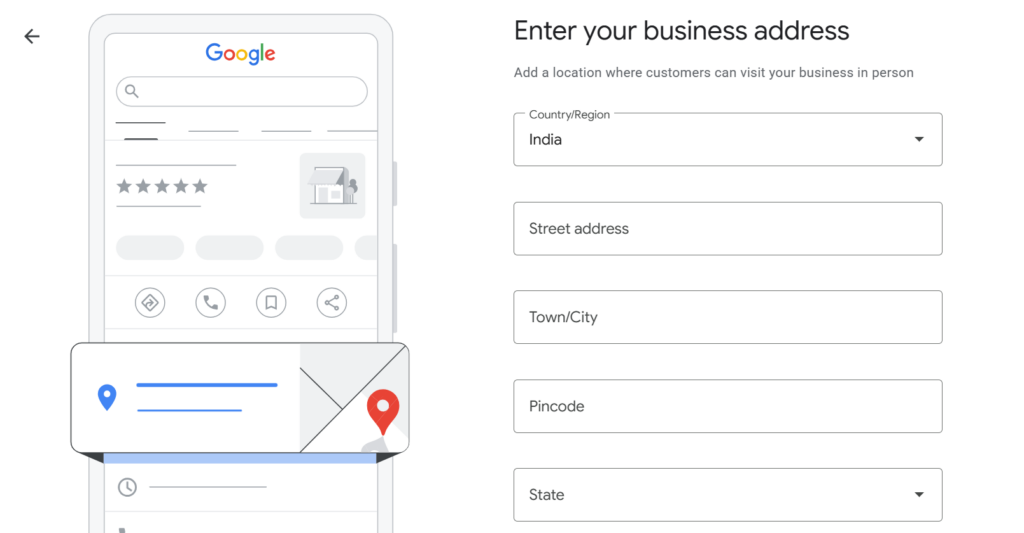
Add your business location. If customers visit your office or store, provide the full address. If you offer services at customers’ locations, define your service areas. It will show the below of your office or store image. Google may send post card to your address to verify your business physical location so be real always provide the accurate location and also your customer can visit your store or office for product and services related queries by following the direction.
Step 4
After Completing Step 3 you move to step 4 Where you have to provide your business Phone number, Website, business hours and more details that will help your audience or customers to connect with you
- Phone number
- Website
- Business hours
Step 5
Complete Google’s verification process.
Verification may occur through:
- Video verification
- Phone verification
- Email verification
- Live video
- Business documentation
Complete Every Section
Many businesses stop after verification.
That is a mistake.
Complete every available field including:
- Description
- Services
- Products
- Opening hours
- Holiday hours
- Business attributes
- Appointment links
- Messaging
- Photos
- Logo
- Cover photo
Completeness contributes to stronger local visibility.
Choose the Right Categories
Your primary category has a major impact on rankings.
Examples:
Primary Category:
Digital Marketing Agency
Secondary Categories:
- Marketing Agency
- Internet Marketing Service
- Advertising Agency
- Website Designer
- SEO Consultant
Use only categories that genuinely reflect your services.
Write an SEO-Friendly Business Description
Your description should explain:
- What you do
- Where you serve
- Why customers choose you
- Your experience
- Your specialties
Avoid keyword stuffing. Write naturally and focus on customer value.
Add High-Quality Photos
Businesses with fresh photos often receive more engagement.
Include:
- Logo
- Cover image
- Office exterior
- Reception
- Team
- Products
- Services
- Completed projects
- Before-and-after images (where appropriate)
- Customer interactions (with permission)
Upload new photos regularly.
Collect Customer Reviews
Reviews remain one of the strongest local ranking factors.
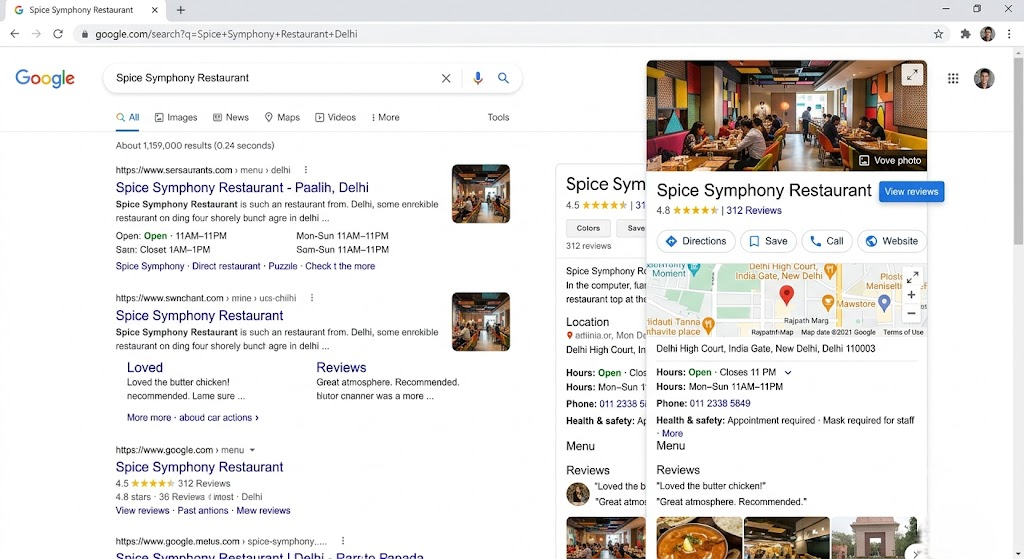
Ask satisfied customers to leave honest reviews after:
- Completing a project
- Delivering a service
- Making a purchase
Respond professionally to every review positive and negative.
Publish Google Posts Regularly
Google Posts keep your profile active and provide fresh information to potential customers.
Share:
- New services
- Offers
- Seasonal promotions
- Blog articles
- Company updates
- Events
- Customer success stories
Aim for at least one post each week.
Add Products and Services
Don’t leave these sections empty.
For each service:
- Add a clear title
- Write a detailed description
- Include pricing if appropriate
- Use relevant images
This helps customers understand your offerings and can improve discoverability.
Enable Messaging
If available in your region, enable messaging so customers can contact you directly from your profile.
Respond promptly to build trust and improve the customer experience.
Monitor Performance with Insights
Google Business Profile provides useful analytics, including:
- Search queries customers used
- Calls received
- Direction requests
- Website clicks
- Photo views
- Profile views
Review these insights monthly to understand what’s working and where improvements are needed.
Common Mistakes to Avoid
Many businesses unknowingly limit their visibility by making these mistakes:
- Leaving profile sections incomplete
- Choosing the wrong primary category
- Using keyword-stuffed business names
- Uploading low-quality photos
- Ignoring customer reviews
- Posting infrequently
- Displaying incorrect business hours
- Using inconsistent contact information across platforms
- Creating duplicate business profiles
Avoiding these issues helps maintain a strong local presence.
Local SEO Tips for Indian Businesses
To improve your Google Business Profile rankings:
- Keep your business information accurate and consistent.
- Encourage genuine customer reviews.
- Respond to reviews professionally.
- Publish regular Google Posts.
- Add fresh photos every month.
- Update services and products as your business evolves.
- Ensure your website is mobile-friendly.
- Include your city and service areas naturally in your website content.
- Build local citations on reputable directories.
- Earn quality backlinks from relevant websites.
Consistency and ongoing optimization matter more than one-time setup.
Frequently Asked Questions (FAQ)
Is Google Business Profile free?
Yes. Google Business Profile is free for eligible businesses.
Can I rank without a website?
Yes, but having a well-optimized website strengthens your local SEO and improves credibility.
How long does verification take?
Verification timelines vary depending on the method and Google’s review process.
How often should I update my profile?
Review your profile monthly and publish new posts, photos, or updates regularly to keep it active.
Do reviews affect rankings?
Yes. Review quality, quantity, recency, and your responses can all influence local search performance.
Google Business Profile is one of the highest-return digital marketing tools available to Indian businesses in 2026. It costs nothing to create, yet it can drive significant visibility, leads, and customer trust when managed properly.
Success doesn’t come from simply claiming your profile it comes from maintaining it. Regular updates, authentic customer reviews, accurate business information, high-quality photos, and ongoing engagement all contribute to better local rankings. We are at Gusto Digital We have Dedicated team who handel thousands of Google Business Profile smothly and help your busienss to Grow rapidly. Book Free Audit and check whether your GBP profile lags and by implementing changes you can grow your business and improve sales by implementing expert advise or hire Gusto Digital for GBP or GMB Managment Services
If you’re serious about growing your local presence, make Google Business Profile a core part of your marketing strategy and treat it as an ongoing business asset rather than a one-time setup.
With consistent optimization, your profile can become one of your strongest sources of qualified local customers.